
 |
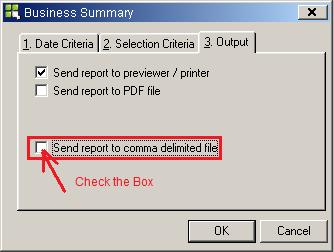
Step 1 Start about by going to your output tab. Once at the output tab, check the Send Report to Comma Delimited File - Seen in Red on Left |
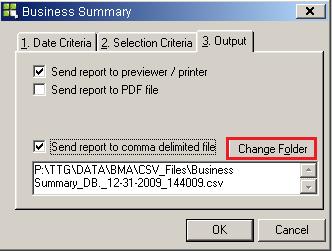 |
Step 2 Select Change Folder |
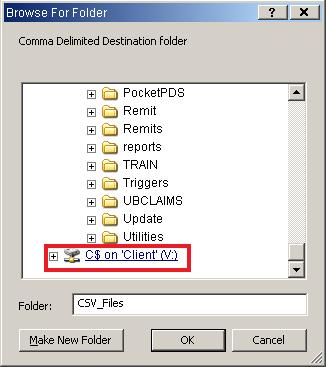 |
Step 3 Scroll down to find C$ on 'Client' (V:) Drive and expand it by clicking the small box with (+) Sign in it. |
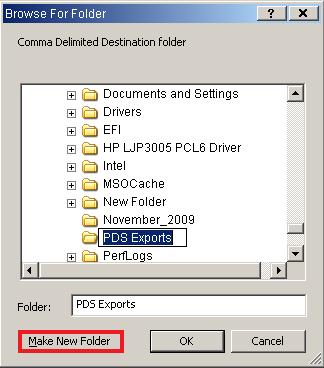 |
Step 4 If you all ready have a PDS Exports folder or a place that you usually save your reports for PDS then use that folder. If not just click Make New Folder. Once you click this, a folder will appear saying New Folder. Change the name to PDS Exports and then click OK next to Make New Folder. The new folder is now created. You can now go to Date Criteria and print your reports. |
You are now done with the PDS Export Tutorial.
Go Back
Thank You,
United Medical, LLC